
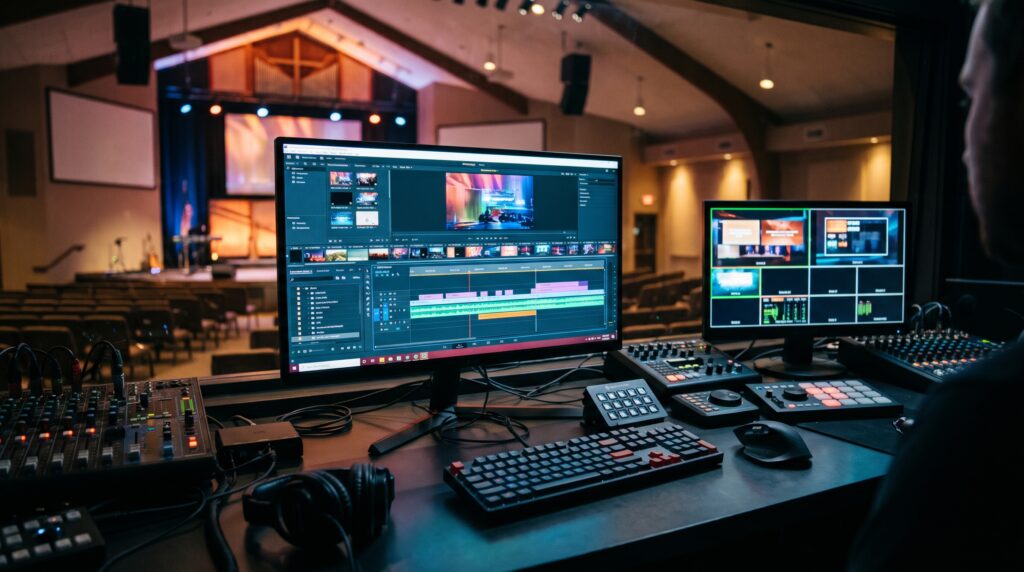
Finding free video editors that do not lock your church behind sudden paywalls or stamp giant watermarks across a Sunday sermon is a common struggle for ministry media teams. If you have ever spent hours editing a worship highlight or testimony clip only to discover that exporting in HD requires a monthly subscription, you already know how frustrating “freemium” software can be.
That is why dependable free video editors—especially open-source programmes—are such a practical blessing for local assemblies. Open-source tools give volunteer technicians and church media directors unrestricted access to multi-track timelines, clean audio mixing, and full HD exports at zero cost. Instead of draining the church budget on recurring software licences, your ministry can channel those funds into better microphones, lighting, or camera gear.
Below is an honest, hands-on guide to five of the best free video editors for churches in 2026, alongside two open-source AI utilities that speed up sermon subtitling and image cleanup.
Quick Comparison of the Best Free Video Editors for Churches
| Software | Truly 100% Free? | Open Source? | Best For | Ideal Hardware |
| DaVinci Resolve | Yes (No watermark) | No (Freeware) | Broadcast colour grading and pro audio | Mid-to-high-end PC or Mac |
| Kdenlive | Yes (No watermark) | Yes | Multi-camera sermons on older laptops | Standard Windows, Mac, Linux |
| Shotcut | Yes (No watermark) | Yes | Fast sermon trimming and simple reels | Standard Windows, Mac, Linux |
| OpenShot | Yes (No watermark) | Yes | Absolute beginners and youth volunteers | Modest Windows, Mac, Linux |
| Blender (VSE) | Yes (No watermark) | Yes | Motion graphics, intros, and custom titles | Mid-range Windows, Mac, Linux |
1. DaVinci Resolve: Broadcast-Grade Power Without the Price Tag
Among all free video editors available today, DaVinci Resolve sits in a class of its own. Although it is proprietary software rather than open source, Blackmagic Design offers its standard edition completely free, with no watermarks and no export time limits.
-
Why Your Church Needs It: DaVinci Resolve combines video editing, colour correction, visual effects, and Fairlight audio mastering inside one programme. If poor sanctuary lighting leaves your pastor looking overly dark or washed out, Resolve’s colour tools can rescue the footage cleanly.
-
The Learning Curve: Its professional layout can feel intimidating on day one, so plan for a short midweek training session. Once your lead editor learns the Cut and Edit pages, the workflow is fast and reliable.
-
Hardware Note: Because Resolve relies heavily on graphics processing, it performs best on a computer with at least 16GB of RAM and a dedicated graphics card.
2. Kdenlive: The Open-Source Workhorse for Everyday Laptops
If your church media unit runs on standard office laptops rather than expensive editing desktops, Kdenlive is one of the smartest free video editors you can install. Maintained by a global open-source community, it stays completely free forever.
-
Why Your Church Needs It: Kdenlive handles multi-track video and audio smoothly, making it straightforward to sync a sanctuary camera with clean audio recorded from your sound desk. It also supports proxy editing, which lets older laptops edit large sermon files without freezing.
-
The Learning Curve: Much gentler than DaVinci Resolve. Its timeline feels familiar to anyone who has ever arranged clips, text overlays, or background worship music.
3. Shotcut: Lightweight, Fast, and Reliable Offline
Shotcut is another respected open-source option among free video editors that works 100% offline—a major advantage for church media booths dealing with unreliable internet or limited mobile data.
-
Why Your Church Needs It: Shotcut opens almost any video format natively without forcing slow file conversions. It is ideal for trimming a 45-minute Sunday broadcast, adding clean lower-third scripture text, and exporting crisp MP4 files for YouTube or Facebook.
-
The Learning Curve: Clean and modular. Volunteers can hide panels they do not need so the screen stays uncluttered during tight weekend deadlines.
4. OpenShot: Best for First-Time Church Volunteers
Not every assembly has a trained video producer on staff. Often, a willing teenager or young adult steps up to help edit announcement reels. For brand-new editors, OpenShot is one of the most approachable free video editors on the market.
-
Why Your Church Needs It: Simple drag-and-drop editing, quick fade transitions, and easy title templates mean a beginner can assemble a Sunday recap or event promo in under an hour.
-
Limitations: It is best suited for short announcements, testimonies, and basic sermon trims rather than heavy multi-camera productions.
5. Blender (Video Sequence Editor): Custom Intros and Sermon Series Bumpers
Most people know Blender for 3D animation, yet it also includes a capable built-in Video Sequence Editor. As a 100% open-source suite, it deserves a place alongside dedicated free video editors for churches that want custom motion graphics without paying for After Effects.
-
Why Your Church Needs It: Your creative team can design animated sermon series intros, glowing scripture titles, and countdown timers, then assemble them directly inside the same programme.
(Need tools for your sanctuary screens and social channels as well? Explore our breakdown of the 10 best church presentation software options for 2026 and our guide to 5 essential apps for every church social media manager.)
Two Bonus Open-Source AI Tools for Church Media Teams
Pairing your free video editors with open-source AI utilities can save your volunteers hours every single week:
-
Whisper AI (Offline Subtitles & Transcripts): Typing out sermon captions manually is exhausting. Whisper AI is an open-source speech recognition tool that generates accurate transcripts and
.srtsubtitle files locally on your computer with zero subscription fees. -
Upscayl (Crisp Flyer & Slide Images): Media teams often receive blurry photos from WhatsApp for church announcements. Upscayl is a free, open-source AI upscaler that sharpens low-resolution images so they look clear on both sanctuary projectors and YouTube thumbnails.
For more time-saving ministry tech, see our full roundup of free AI tools for church media teams.
Practical Tips for Nigerian and African Church Media Units
Before downloading new software onto your church laptop, keep three practical realities in mind:
-
Match the Editor to Your Laptop: Do not force DaVinci Resolve onto a 4GB RAM laptop. Start with Kdenlive, Shotcut, or OpenShot so your volunteers spend time editing rather than waiting for crashes.
-
Download Installers Once and Save Them: Keep the offline installation files for your free video editors on a dedicated church flash drive. That way, new volunteers can install the exact same version without burning personal data.
-
Standardise Your Export Settings: Export full sermons in 1080p MP4 (H.264) for YouTube and trim 45-to-60-second vertical clips for Reels, TikTok, and WhatsApp Channels.
Frequently Asked Questions
Which of these free video editors has no watermark?
Every tool on this list—DaVinci Resolve, Kdenlive, Shotcut, OpenShot, and Blender—exports full HD video with zero watermarks and no forced branding.
What is the best free video editor for an older church laptop?
Kdenlive and Shotcut are the strongest choices for modest Windows laptops because they run smoothly offline and use far less memory than heavy commercial suites.
Are open-source video editors safe for church computers?
Yes, provided you download them directly from their official project websites rather than third-party download portals.
Final Thoughts
Producing clear, broadcast-quality ministry content does not require an expensive monthly subscription. By equipping your volunteers with reliable free video editors and open-source utilities, your church can steward its finances wisely while sharing the Gospel with excellence online.
JOIN OUR WHATSAPP CHANNEL FOR MORE GOSPEL NEWS UPDATES AT FIRST HAND


❤️❤️❤️